Color analysis apps compared: prices and what you get
There's no tested best color analysis app, and we won't pretend to have one. What we can give you is what each listing and set of terms says, read on November 4, 2026: price, what renews and what's claimed. We sell a report too, so we're listed here as well.
What each one says, as of November 4, 2026
Most roundups of these apps are written by one of the apps, usually with its own name at the top. This one is written by a competitor too, so here is how we’ve tried to keep it fair: every fact below comes from the listing or terms linked in that row, and we haven’t ranked anything, because nobody here has tested them. Ratings are what the store displayed. Prices change often, so check before you pay.
| App | What it says it does | Price as listed | Worth noting |
|---|---|---|---|
| Style DNA AI Style by DNA S.L. 4.3 stars, 7.5K ratings, US App Store | One of 12 seasonal types from a selfie, plus body type, an AI stylist and closet tools. | Free download. Purchases listed from $7.99 a month to $39.99 a year, plus guides at $9.99 and $12.99. | Auto-renewing. The listing shows several prices for the same plan length, and doesn’t say which you’ll get. It claims over 3 million users, which we can’t check. |
| Dressika STANDY SOFT SL. 4.3 stars, 5.7K ratings, US App Store | 12 seasons from a photo or a quiz, 120 clothing colors, makeup and hair try-on. | Free download. Ten items from $4.49 to $40. | Claims “up to 97% accuracy based on validation from color consultants”. We found no published test of this, so we can’t tell you what it means. |
| My Best Colors Developer colorwise.me. 4.7 stars, 2.8K ratings, US App Store | Palettes for the 12 seasons, a color picker and a camera with filters that mimic draping. | Free download. Lifetime premium $14.99, special offer $9.99. | A developer reply on the page says a web tool at colorwise.me is still free. Colorwise compared |
| Palette Hunt Website | Season and palette from a selfie and questions, plus AI images of you. | “One-time, from $19”, across three packages. | The home page shows a start price and not each package’s. It says you can review the price before paying. |
| color-analysis.app Website | Color analysis sold on a subscription. | $1.00 for the first 7 days, then a plan such as $14.99 a month. Weekly plans $9.99 to $14.99, monthly up to $69.99. | Its terms say subscriptions renew until canceled. Read which plan you’re agreeing to. |
| This site Website, works in a phone browser. We wrote this table | Free scan and quiz, with a season, a runner-up and six colors. A paid report with AI images of you. | Scan free. Full Color Report $19, once. | No user count, no rating, no accuracy figure, because we don’t have them. Nobody has tested our scan on real people yet. |
Which color analysis apps are free?
Nearly all of them can be installed for free, and very few are free to use in full. The App Store’s “Free” label refers to the download. Inside you usually get something to look at, and then a paywall for the palette itself or for the features that make it useful. So the honest question is what the free part includes. Before you take a selfie, check for three things: do you see your season without paying, do you see any colors, and is there a trial that renews on its own?
On the web, our free analysis page goes through what you can get without paying anywhere.
Which ones charge a subscription?
Some do, and a monthly plan you forget about will cost far more than a one-off. To make that concrete, here’s what each pricing would cost if you kept it for a full year.
If all you want is a season and a palette, pay once or not at all. A subscription starts to make sense only if you’ll keep using the rest of the app, such as an outfit planner or a closet tool. Style DNA, for instance, is largely that: a stylist app in which color is one feature. The cost guide sets all this against sessions with a person.
Why does the same selfie give different seasons?
There’s a telling exchange on Dressika’s listing, dated January 2025. A reviewer describes reinstalling the app and getting Cool Summer, Light Spring, Warm Spring and Soft Autumn. The developer replies: “it is absolutely normal to get different results based on different photos”, because you can take a photo in warm or cool tones by adjusting the camera or the light, and that the same photo gives the same result. That’s a fair account, and it applies to every app here. The result is an analysis of the picture, and the picture changes.
Kettlewell, a British clothing brand that sells in-person sessions, ran its own small test on one person with a known warm season, under studio lighting meant to mimic daylight. It reports Style DNA gave True Summer, ChatGPT also gave Summer, and a TikTok input filter gave Soft Autumn. It calls that about a 50% chance of the right broad season, and it found the most useful tools were the ones that let you compare colors on your own face. That’s one tester with something to sell, so treat it as an anecdote. It’s still the closest thing to a head-to-head test we could find. House of Colour reports a client who got three different answers from AI, with the same caveat. How the software works explains the mechanism.
What to check before you pay
- The exact renewal. Which plan, what price, and how long until it renews. On iPhone it’s managed in your Apple account settings, not inside the app.
- A runner-up. An app that names a close second is more honest than one that gives a single flat answer, since many people sit between two seasons.
- A way to repeat. Run it on two photos from different light. If the answers cross from warm to cool, the result is telling you about the photo.
- A way to compare on your face. Try-on filters and draping views let your eyes get a vote. Colorwise and InMyTone have draping tools. Our scan doesn’t draw on your face: it shows each color beside your photo and asks which looks better.
- Where your photo goes. Read the privacy policy before you hand over a clear picture of your face. Our own details are on the privacy page.
- Claims with a number. Ask what an accuracy figure was measured against. There’s no agreed true answer to check a season against, so any such number needs an explanation.
What we do, and what we don’t
Since this page is about apps, here’s exactly how ours differs, including where it falls short. The free tier isn’t an app in the store sense. It’s a website that runs in your browser, and no server model is involved: a face landmark model and plain color math do the reading, on your device. It asks you to hold up white paper to correct the camera, then shows you color pairs beside your photo and takes your answer. The result names a runner-up and says nothing about accuracy, because we have no measured accuracy to quote. Try the scan, and if your result surprises you, repeat it in different light.
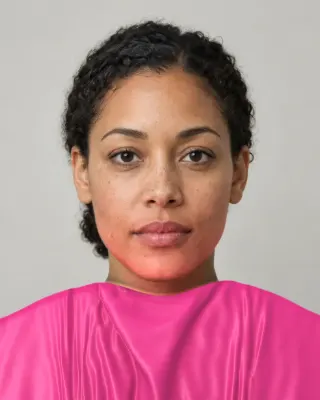
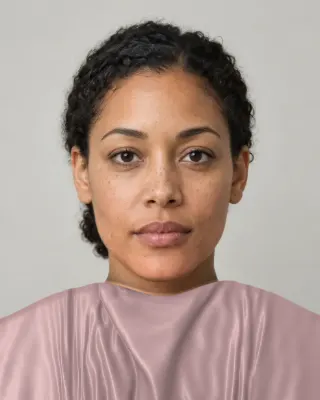
The paid report is different: it uses AI models to make images of you in your colors. It has about 40 colors with hex codes and a capsule plan, for $19 once. What we don’t have: an iPhone app, a closet planner, shopping features, or the years of use some of these apps have. If you want a daily stylist, one of those may suit you better. If you have another app’s result, there are comparisons with Colorwise, Style DNA and Dressika.
Related guides and tools
Sources
- Style DNA: AI stylist and outfits
- Color Analysis: Dressika
- My Best Colors
- Palette Hunt
- Terms of service
- Does AI colour analysis work? We tested three of the most popular AI colour analysis apps
- Is AI color analysis accurate? Why in-person consultations matter
- Deep Armocromia: a novel dataset for face seasonal color analysis and classification. Stacchio L, Paolanti M, Spigarelli F, Frontoni E (project poster)
- Color balance
The Full Color Report: $19one time
You in your best and worst colors, about 40 colors with hex codes, makeup, hair and a capsule wardrobe plan.
See a sample reportCommon questions
- What's the best color analysis app?
- We can't honestly name one. We found no independent head-to-head test, and most roundups are written by one of the apps. Choose on what you need: a one-time price if you only want a palette, a stylist app if you'll use the closet features, and a draping view if you want your eyes involved.
- Are color analysis apps accurate?
- Nobody has shown that independently. Vendors make claims, such as Dressika's up to 97%, without a published test we could find. A research model reached about 55% on just four seasons on its own dataset. There isn't an agreed true answer to measure against, so treat any result as a starting point.
- How do I cancel a color analysis app subscription?
- If you subscribed through Apple, cancel in your Apple account's subscriptions settings. Deleting the app doesn't cancel it. If you subscribed on a website, follow its terms: color-analysis.app's say subscriptions renew until canceled.
- Why do apps ask for a selfie without makeup in daylight?
- Because makeup and colored light change the pixels they're reading. Window daylight with no direct sun gives the camera the fairest chance. It reduces the problem without removing it, since the phone's own white balance still moves the color.
- Do these apps work on dark skin?
- We can't say for any particular app, as none of the listings we read publish results by skin tone. Our own scan is built to avoid the usual errors, but deep skin is its least tested area. Check any result with fabric, and be wary if every photo gives you the same dark season.
- Is a website as good as an app?
- For a one-off analysis, it can be. Browser cameras and on-device models now do the same job, with nothing to install. Apps are better for anything you use repeatedly, such as a saved closet or scanning clothes in a store.

See which colors are yours.
See your colors on your own face, compare seasons side by side, and get your season, your undertone and a starter palette.